Certificates
On a gas safety or boiler service job, the wrap-up list has a second item: Gas safety record (CP12). Eight steps, signed on site, and the PDF goes to the customer the moment you issue it.
Which jobs get one
Section titled “Which jobs get one”| Job | Certificate |
|---|---|
| Gas safety check | CP12 — Landlord Gas Safety Record |
| Boiler service | Boiler service record |
The eight steps
Section titled “The eight steps”-
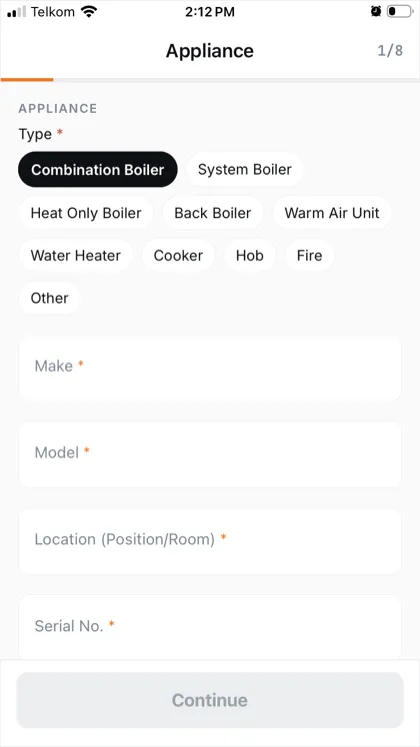
Appliance. Pick the type from the chips — combination boiler, system boiler, heat only, back boiler, warm air unit, water heater, cooker, hob, fire, other. Then make, model, where it is in the property, and the serial number. All required. The data sticker photo you took for the report is the easiest place to read them from.
-
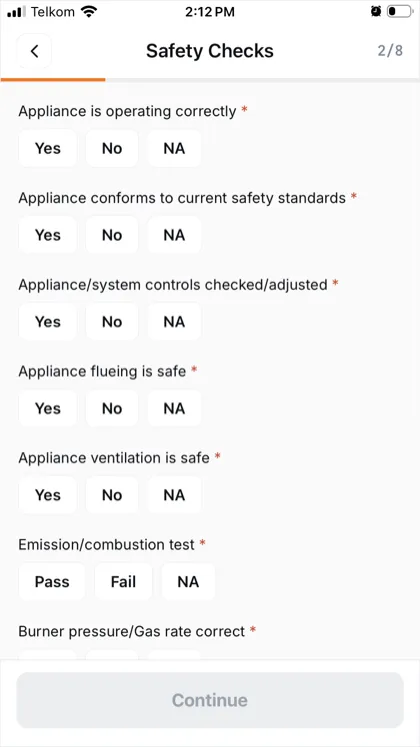
Safety checks. Yes / No / NA down the list: operating correctly, conforms to current standards, controls checked, flueing safe, ventilation safe, the emission test pass or fail, burner pressure or gas rate.
-
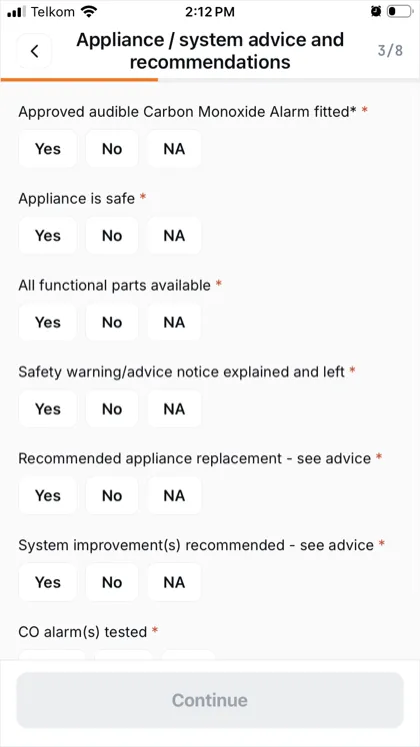
Advice and recommendations. CO alarm fitted and tested, whether the appliance is safe, whether all functional parts are available, whether you left a warning notice, and any replacement or system improvement you’re recommending.
-
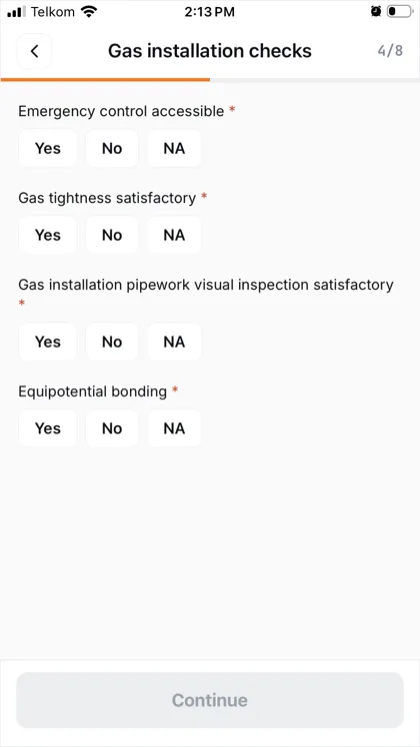
Gas installation checks. Emergency control accessible, gas tightness, the pipework visual inspection, equipotential bonding.
-
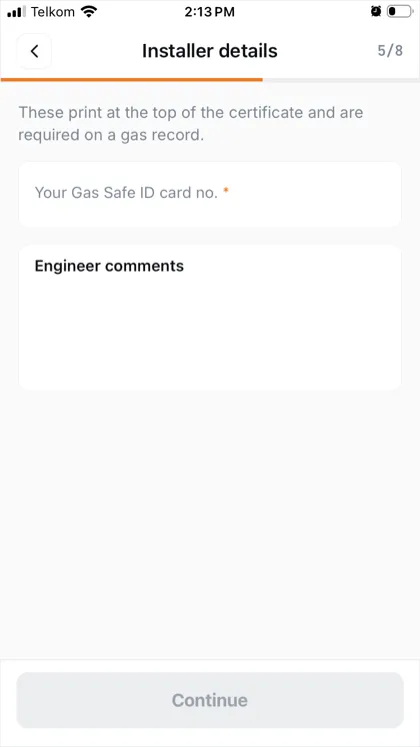
Installer details. Your Gas Safe ID card number — the one on your own card — and any comments you want on the record. These print at the top of the certificate.
-
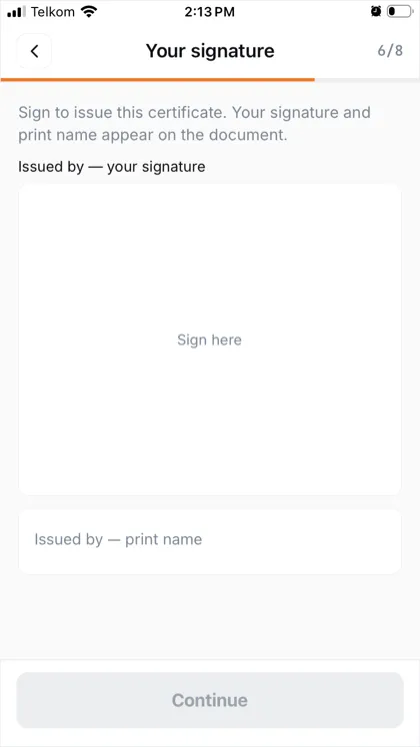
Your signature. Sign with your finger and print your name. This is what issues it.
-
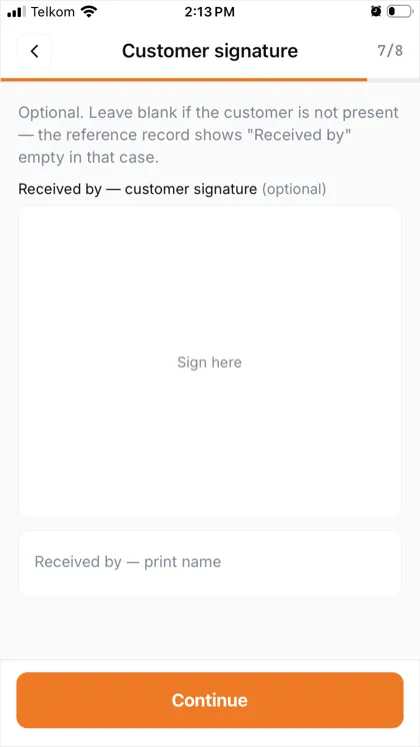
Customer signature. Optional. Leave it blank if nobody is there to sign — the record shows “Received by” empty, which is the correct entry for an unattended visit.
-
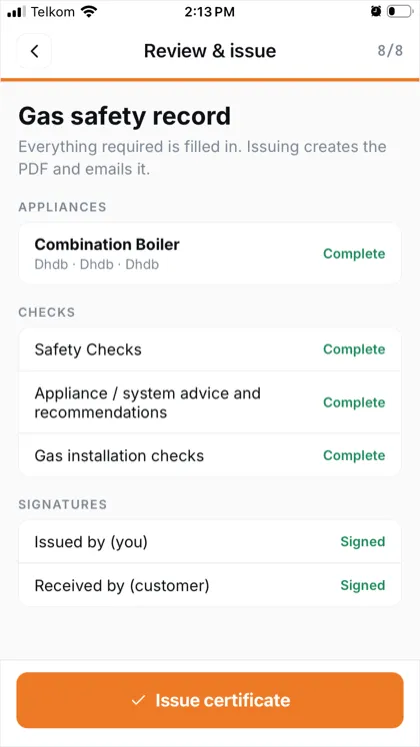
Review and issue. Every section shows Complete or what’s missing. Press Issue certificate.
Issued
Section titled “Issued”Issuing renders the PDF and emails it. The job is then wrapped up, and you’re free to head to the next one.
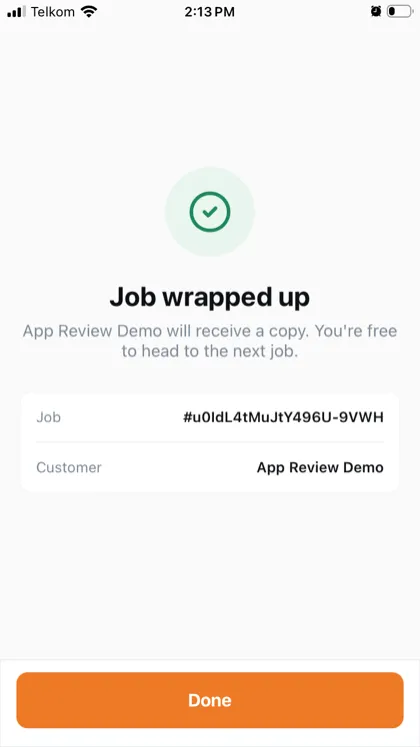
Where it ends up:
- The customer receives the PDF by email.
- Your manager sees it in Books, against the report.
- You can open it again from the job in your Completed list.
Sign it on site
Section titled “Sign it on site”The customer’s signature can’t be collected once you’ve driven away, and neither can yours be redone — issuing is the legal act. If you’re interrupted, leave the wizard and come back to it before you leave the property.